Node.js Internals Explained: What Every Backend Developer Should Know
i am learner whatever i will learn i will write here
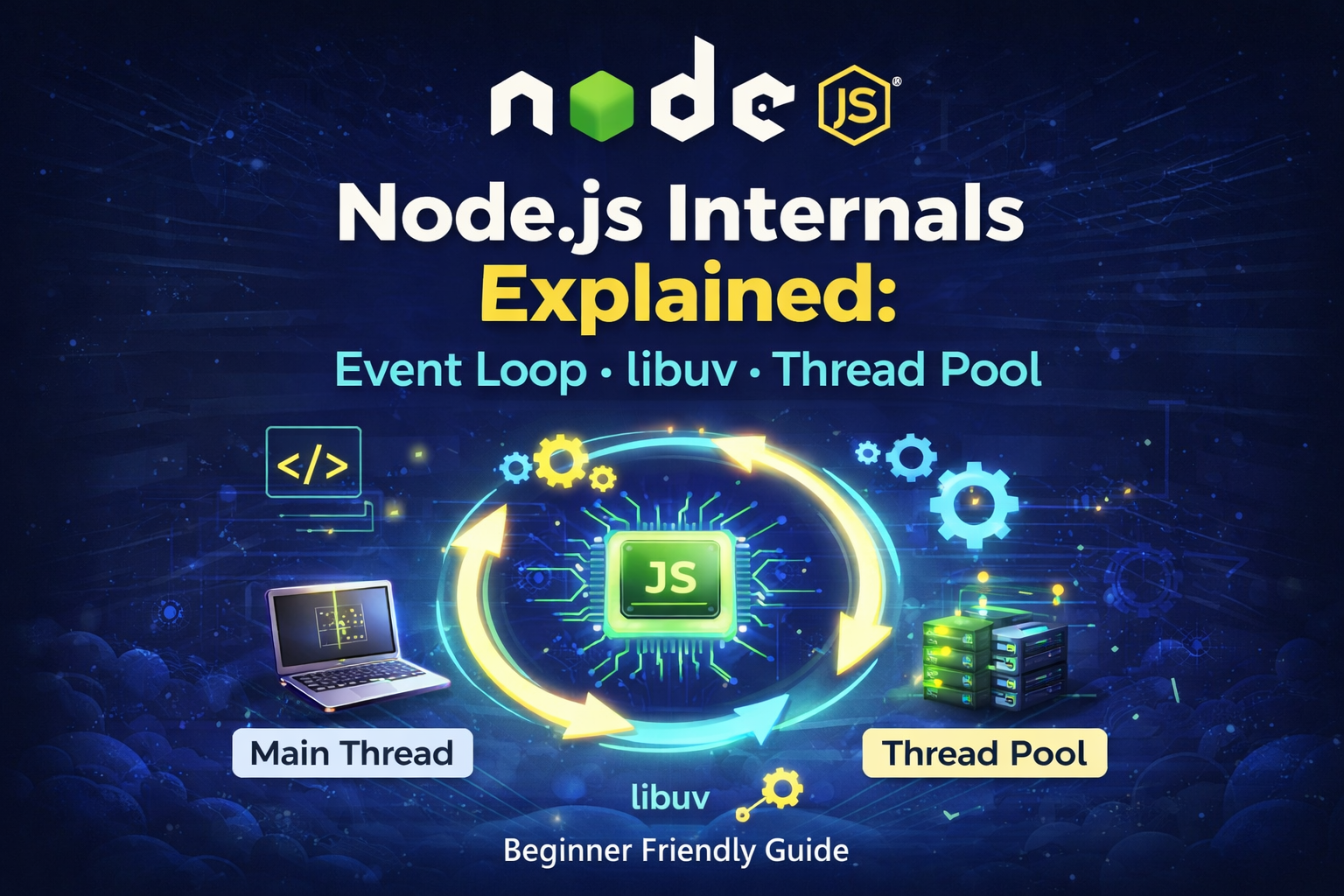
If you are learning backend development with Node.js, understanding how Node.js works internally is very important.
Many developers use Node.js every day, but they don’t clearly know what happens behind the scenes when we run a simple command like:
node index.js
In this article we will understand the core internals of Node.js in a simple and beginner-friendly way.
Topics Covered
What is Node.js
V8 Engine and libuv
Node.js Architecture Overview
How Node.js Executes a Program (
node index.js)Thread Pool in Node.js
Event Loop and its Phases
setTimeout vs setImmediate
process.nextTick()
Worker Threads
Conclusion
What is Node.js
Originally JavaScript was designed to run inside browsers like Chrome.
JavaScript → Browser
In 2009, Ryan Dahl created Node.js by combining the V8 JavaScript engine with a library called libuv.
This allowed JavaScript to run outside the browser, especially on servers.
JavaScript → Server
Node.js is mainly built using:
V8 Engine + libuv + C++
Node.js works using a single-threaded event-driven architecture, which helps it handle many requests efficiently.
V8 Engine and libuv
V8 Engine
V8 is the JavaScript engine used in Google Chrome.
Its job is to convert JavaScript code into machine code so the computer can execute it.
Example:
console.log("Hello")
V8 compiles this code into machine instructions.
libuv
libuv is a C library that provides asynchronous capabilities to Node.js.
It manages:
Event Loop
Thread Pool
File system operations
Network requests
Timers
The event loop and worker threads in Node.js are implemented using libuv.
Node.js Architecture Overview
The Node.js runtime consists of multiple components working together.
Main components include:
V8 Engine → executes JavaScript
Event Loop → manages asynchronous callbacks
libuv Thread Pool → handles heavy tasks
Node.js APIs → fs, http, crypto etc.
JavaScript code runs on the main thread, while heavy work can be delegated to the thread pool.
How Node.js Executes a Program
Suppose we have a file:
index.js
We run it using:
node index.js
When this command runs:
Node.js creates a process
Inside the process there is a main thread
JavaScript code starts executing on that thread
Top Level Code
The main thread first runs top-level code.
Top-level code means code that runs immediately when the file starts.
Example:
console.log("Hello from Top Level Code")
const fs = require("fs")
While executing this code Node.js also:
loads modules using
require()registers callbacks
prepares resources for asynchronous tasks
Thread Pool in Node.js
Node.js uses a thread pool managed by libuv.
It is used for CPU intensive operations such as:
cryptography
hashing
file system operations
DNS lookups
By default the thread pool contains:
4 threads
This allows heavy tasks to run in parallel without blocking the main thread.
You can change the size using:
process.env.UV_THREADPOOL_SIZE = 10
Event Loop
After the top-level code finishes executing, Node.js starts the Event Loop.
The event loop continuously checks if there are tasks waiting to be executed.
It allows Node.js to perform non-blocking I/O operations even though JavaScript runs on a single thread.
If a task requires heavy work:
It is sent to the thread pool
The main thread continues running
Once the task finishes, its callback is added to the queue
Event Loop Phases
The event loop runs in phases.
Important phases include:
Timers Phase
Runs callbacks from:
setTimeout()
setInterval()
I/O Polling Phase
Handles completed I/O operations such as:
file reading
network requests
Check Phase
Runs callbacks scheduled using:
setImmediate()
Close Callbacks Phase
Handles events like socket closing.
Important Point: setTimeout vs setImmediate
Example:
setTimeout(() => console.log("Hello from Timer 1"), 0)

setImmediate(() => console.log("Hello from Immediate Fn 1"))

console.log("Hello from Top Level Code")
Possible output:
Hello from Top Level Code
Hello from Timer 1
Hello from Immediate Fn 1
But sometimes:
Hello from Top Level Code
Hello from Immediate Fn 1
Hello from Timer 1
This happens because the execution order between setTimeout() and setImmediate() is non-deterministic.
It depends on the performance and timing of the Node.js process, so the order may change.
process.nextTick()
Node.js also provides a special function:
process.nextTick()
This runs before the Event Loop continues to the next phase.
Example:
console.log("Start")

process.nextTick(() => {
  console.log("nextTick callback")
})

setTimeout(() => {
  console.log("timer callback")
}, 0)

console.log("End")
Output:
Start
End
nextTick callback
timer callback
Execution priority:
Top Level Code
↓
process.nextTick()
↓
Event Loop
Worker Threads
Node.js also supports Worker Threads.
Worker threads allow JavaScript code to run in separate threads.
They are useful for:
heavy computations
data processing
CPU intensive algorithms
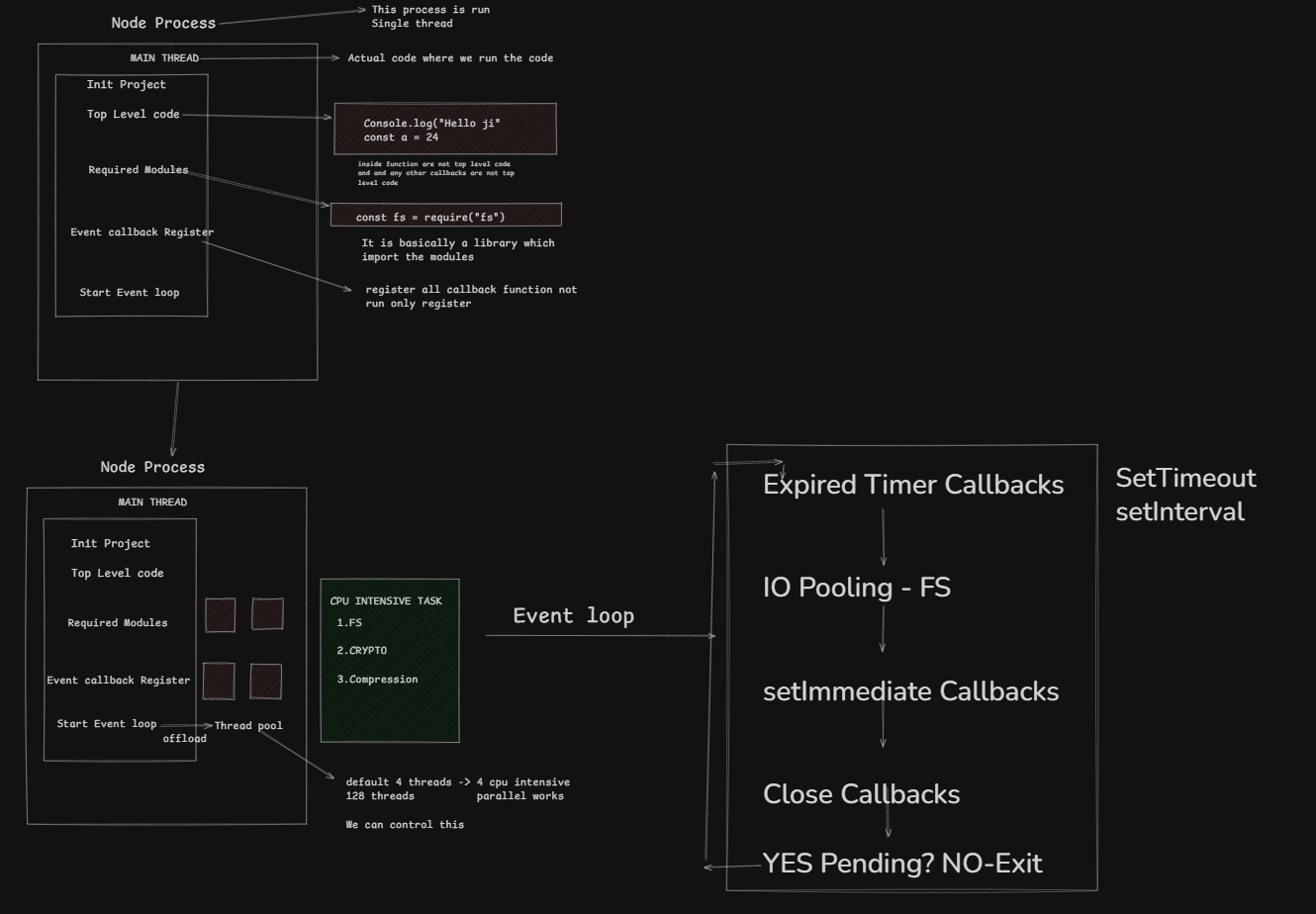
Understand through visualization, I try my best to Explain this through diagram . how nodejs internals works
Conclusion
In this article we learned how Node.js works internally.
Key takeaways:
Node.js runs JavaScript using the V8 engine
libuv handles asynchronous operations
The Event Loop manages callbacks
Heavy tasks run in the thread pool
Worker threads allow parallel processing
Understanding these concepts helps you explain Node.js internals clearly in backend interviews.
